A place for every tab.
Drag to reorder. Group by project. Collapse the noise. Give each tab its own icon—even one of your own images.
 TIIIErminalDESKTOP TERMINAL
A small, thoughtfully personal terminal.
For the tabs you live in, the colors you love,
and the work only you can do.
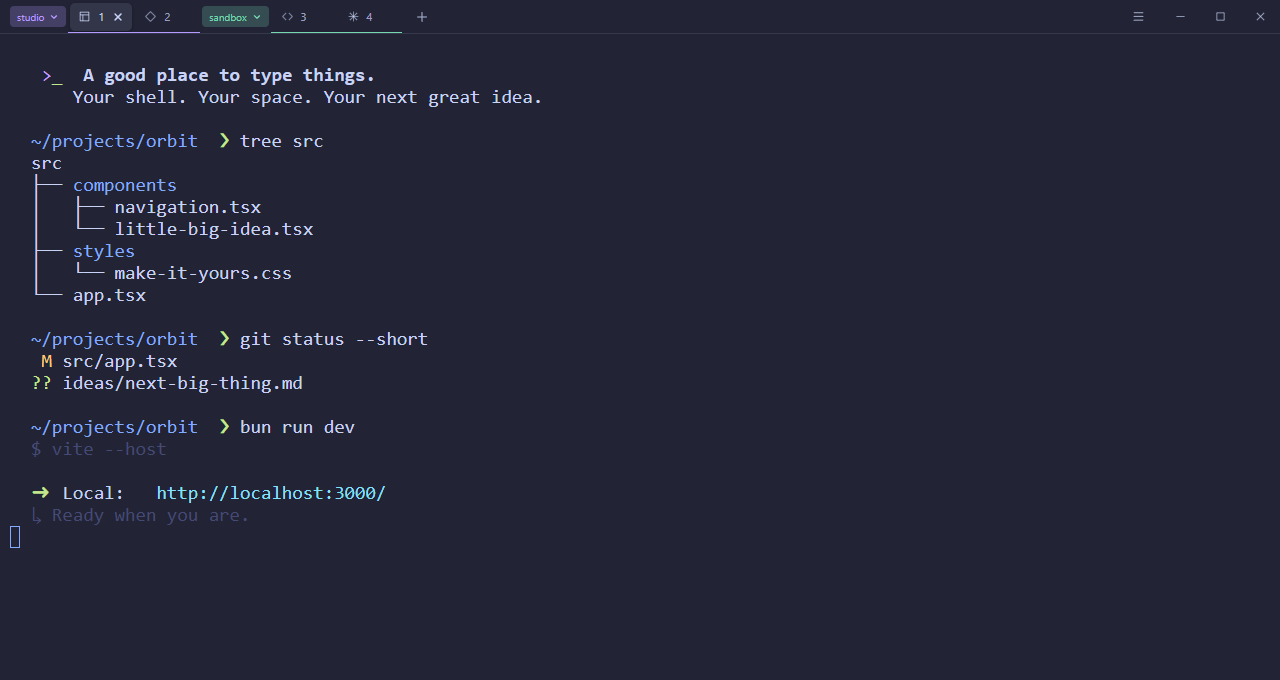
Familiar where it matters.
Yours where it counts.
Keep the things you need close.
Let everything else get out of the way.
Drag to reorder. Group by project. Collapse the noise. Give each tab its own icon—even one of your own images.
Your layout, groups, icons, and preferences stay on this computer. Reopen the app to fresh shells in a familiar arrangement.
Choose your shell, font, and UI scale. Add acrylic on Windows or vibrancy on macOS. Your setup, down to the smallest detail.
Six palettes. One consistent feeling.
From the first tab to the last scrollbar,
your colors go all the way.
New tab. Next tab. That tab.
Keep your hands where your ideas happen.
On macOS, use ⌘ for these shortcuts. Reopened tabs start fresh shells.
Build TIIIErminal for your desktop.
Make it the place your next project begins.
git clone https://github.com/tiii-dev/terminal-app.gitcd terminal-app# 02 / make it yoursbun installbun run build:windowsBuild on the target OS. Requires Bun, supported Node.js, Rust, and Tauri prerequisites. Installer downloads are not provided here.
Yes. Windows defaults to PowerShell 7, with Windows PowerShell and Command Prompt also detected. macOS and Linux detect installed shells including Zsh, Bash, Fish, and POSIX shells. Choose your profile in Settings for new tabs.
Your tab layout, order, icons, groups, selected tab, and settings are saved locally. The app opens fresh shells in that layout. Running processes and terminal output do not resume. Working directories are tracked on Linux when available.
Windows uses acrylic and macOS uses vibrancy, with adjustable background opacity. Linux keeps an opaque window and disables the opacity slider for reliable rendering. Text stays opaque on every platform.
Build the app from source on the operating system you want to use. You’ll need Bun, a supported Node.js version, Rust, and the Tauri platform prerequisites. Windows also needs PowerShell 7. The source README has the full instructions.